
 View full size ↗
Review the portfolio and budget
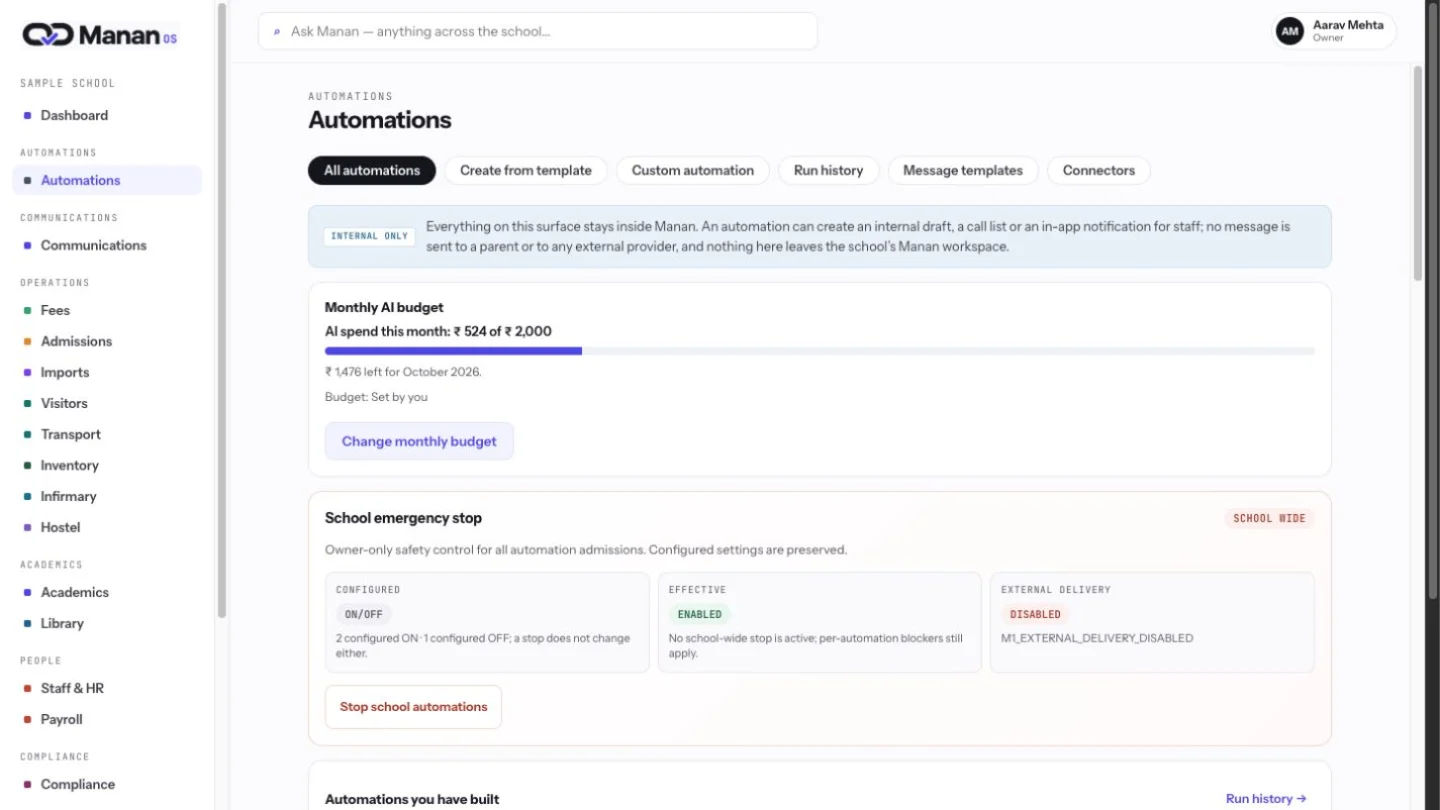
The automation hub brings the portfolio and this month’s AI budget into one owner view. Every workflow remains approval-led.
AI prepares the work. Your team approves the action.
View full size ↗The automation hub brings the portfolio and this month’s AI budget into one owner view. Every workflow remains approval-led.
 View full size ↗
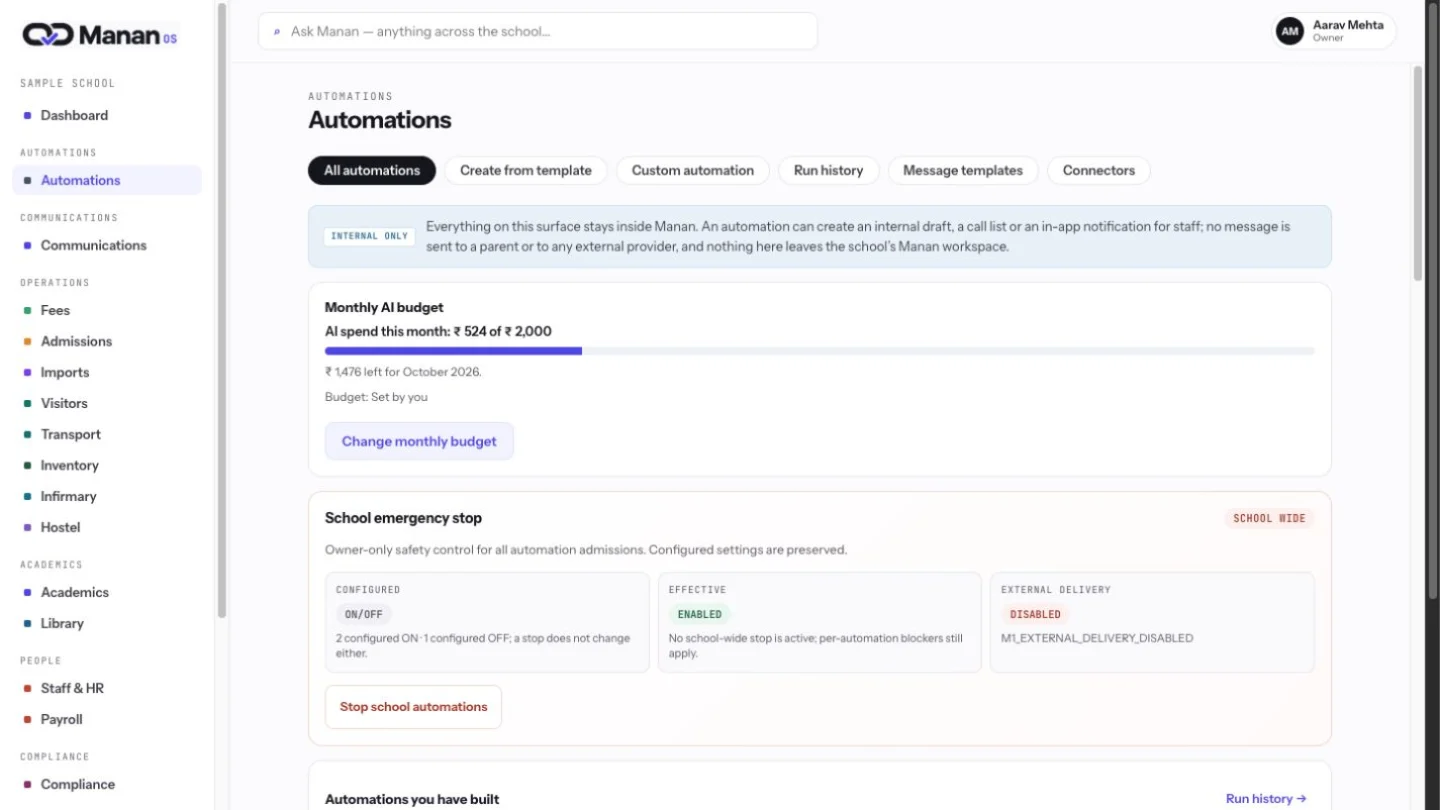
Owner controls bring a school-wide emergency stop beside the configured automation state. The team can review the work while the owner retains a clear way to pause it.
 View full size ↗
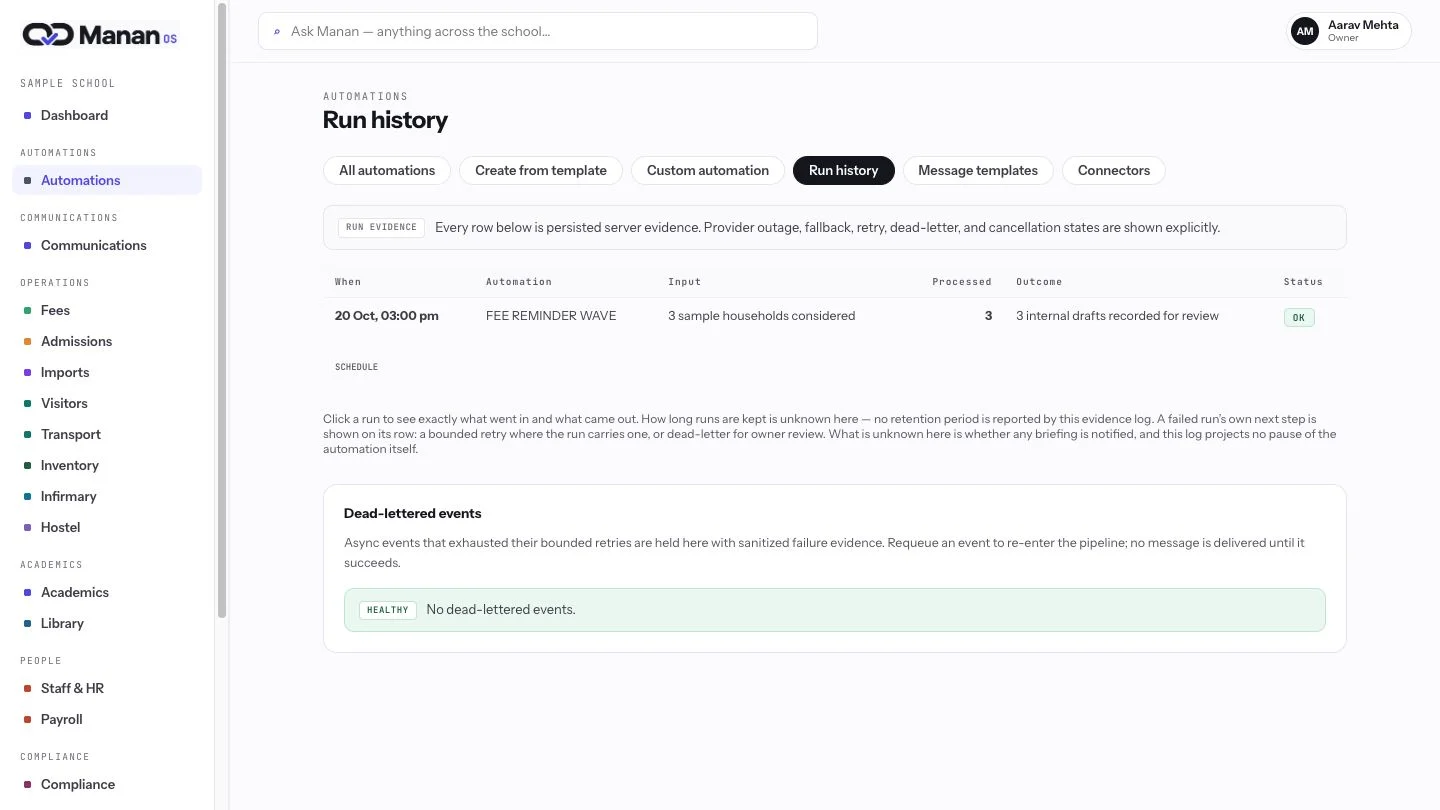
See inputs, drafts and outcomes in one place. Your team can inspect what needs review and trace the record behind it.
 View full size ↗
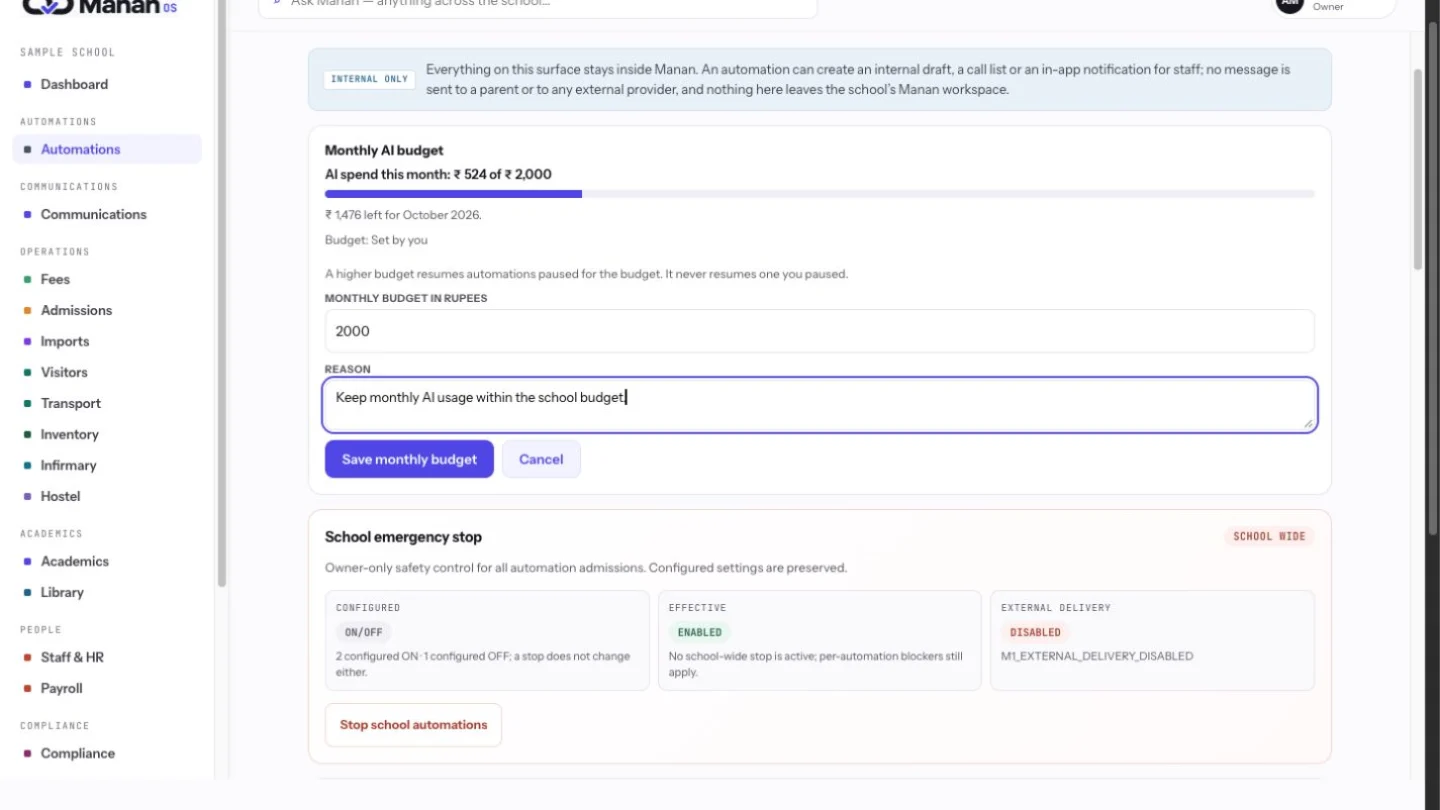
A monthly cap keeps AI spend within the school’s budget. Owners can change it with a recorded reason and see budget pauses in the same workspace.
